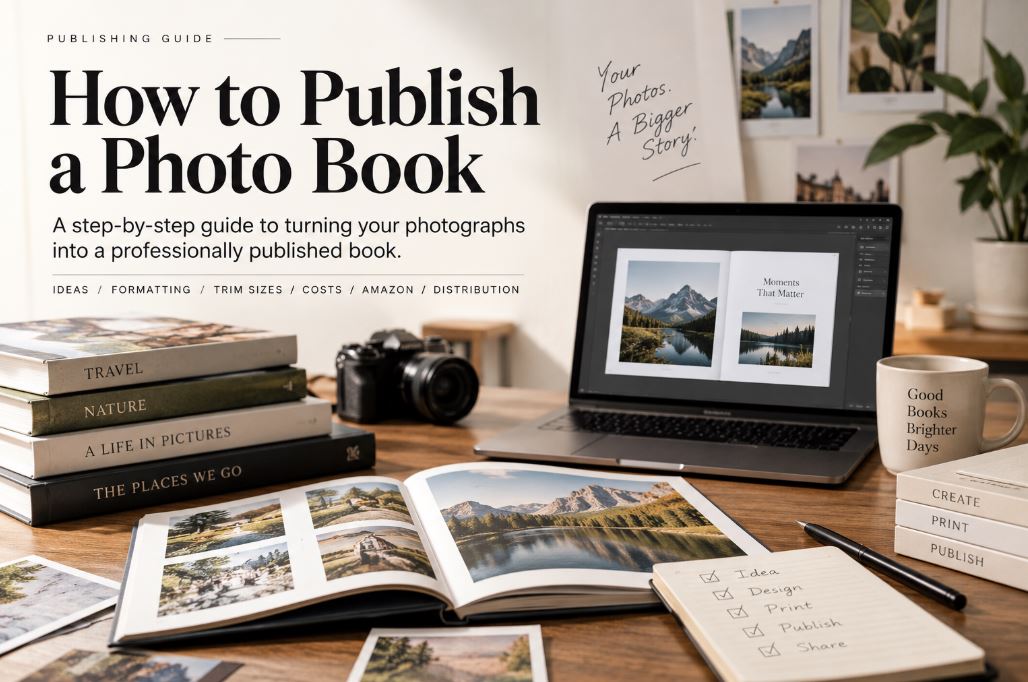
To publish a photo book, decide how your photographs and text will work together, choose a trim size that fits your images, format the interior with proper bleed and image resolution, design a cover that accounts for spine width, prepare an ISBN and final files, and publish through a platform such as Amazon KDP or IngramSpark. Self-publishing a photo book follows this same core process, just without a traditional publisher managing it on your behalf.
Writers of the West publishes photo books professionally, and this guide reflects the process we typically walk clients through on photo-book projects, from a family travel album to a full coffee-table art book.
1. Decide How Your Photo Book Will Look
Before anyone opens a design program, we sit down with the author and settle one question: how do the photographs and the text want to work together? That decision shapes everything downstream, including trim size, page count, and even which printer makes sense.
A photo book can lean almost entirely on the images, with captions doing the minimum necessary work. It can also be built around a narrative, where photographs are sequenced to tell a story and short passages of text carry context between them. Somewhere in between sits the coffee-table format: high-impact spreads, generous white space, and editorial text that supports the visuals rather than competing with them. A fourth pattern, photographs paired with real essays, shows up often in memoir and documentary projects, where the writing is doing as much work as the images.
| Photo Book Style | How Photos Are Used | Role of Text | Good For |
|---|---|---|---|
| Photography-led | Large or full-page images | Minimal | Portfolios |
| Narrative | Sequenced photographs | Captions and context | Travel, documentary |
| Coffee-table | High-impact layouts | Light editorial text | Art, travel, lifestyle |
| Photo + essays | Images support written sections | Significant | History, memoir, documentary |
Publisher insight: We settle the visual direction before formatting begins. Adding a meaningful amount of text after the interior is laid out usually means redesigning it from scratch, since pages built around full-bleed images don’t leave room for paragraphs without breaking the layout.
Getting this decision right early affects every choice that follows: image sequencing, caption placement, the balance of full-page spreads against smaller grouped photographs, and how much white space the design can afford.
2. Choose the Right Photo Book Size
Trim size is not a cosmetic choice. It determines how your photographs will actually be cropped, how many will fit per spread, and what the finished book costs to print.
Start with orientation. Landscape trims suit wide scenic photography and travel work. Square formats read as balanced and are common in art and family photo books because they don’t force a bias toward horizontal or vertical images. Portrait orientation favors single striking images per page, the classic look for a photography portfolio.
Amazon KDP currently supports several standard paperback trims that work well for photo books, each with its own minimum and maximum page count (KDP print options and trim sizes):
| Trim Size | Orientation | Works Well For |
|---|---|---|
| 8.25 × 6 in | Landscape | Wide landscapes, travel photography |
| 8.5 × 8.5 in | Square | Art, family, and balanced layouts |
| 8 × 10 in | Portrait | Photography portfolios |
| 8.5 × 11 in | Large portrait | High-impact photography |
These are starting points, not universal recommendations. The right size depends on your specific images and how much detail you want visible per page.
Trim size affects far more than the cover: it drives page composition, how tightly images get cropped, page count, printing cost, and the eventual cover dimensions. Because specifications differ between print platforms, decide on your printing route before you lock in final formatting. A layout built for one platform’s trim sizes doesn’t always transfer cleanly to another.
If you’re planning to publish through Amazon, our Amazon KDP publishing services page covers how we handle trim size and print-option decisions for KDP projects specifically.
3. Format the Photo Book Interior
Formatting a photo-book interior is a different discipline from formatting a novel. The core elements to get right: image sequencing, full-page photographs, two-page spreads, captions, typography, margins, gutter, bleed, white space, the title and copyright pages, page numbering where relevant, color consistency across the file, and a print-ready PDF at the end of it.
Bleed is the one concept that trips up almost every first-time photo-book author, so it’s worth explaining plainly. When a photograph is meant to reach the physical edge of the printed page, the image file has to extend past the trim line, because the printing press can shift by a hair during cutting, and without that extra margin you get a thin white sliver where the paper wasn’t cut exactly on line. KDP’s current guidelines call for 0.125 inches of bleed along the top, bottom, and outer edge of each interior page. The inside margin next to the spine is treated differently, since that edge isn’t trimmed the same way during binding, so bleed doesn’t apply there the way it does on the other three edges (KDP Paperback Submission Guidelines).
Publisher insight: For a photography-led book, we generally steer clients toward premium color rather than the cheapest available color option. The photographs are the entire product in this kind of book, and cutting corners on paper stock or ink quality undercuts the reason someone bought it. KDP’s premium-color option is available starting at a lower page count than standard color interiors, which matters if you’re producing a slimmer book (KDP print options). That said, premium color paper doesn’t turn ordinary photography into gallery-quality printing. The source images still need to be sharp, well-exposed, and captured at a resolution that holds up in print.
4. Design the Front, Spine and Back Cover
Here’s a rule we hold to on every photo-book project: finish the interior before you finalize the print cover. It’s tempting to design the cover early because it’s the fun part, but the final cover dimensions depend on the trim size, the page count, the binding, the interior paper type, and the resulting spine width, and page count is often the last thing to settle once photo selections are locked.
A print cover is one continuous file: front cover, spine, back cover, the required bleed and safe areas, and a barcode area on the back. One detail that surprises first-time authors: KDP only prints spine text on books with more than 79 pages (Create a Paperback Cover). A slim 60-page photo book will have a spine too narrow for readable text, and the cover has to be designed with that in mind rather than assuming text will fit.
This isn’t a graphic-design tutorial. For the actual mechanics of calculating spine width and cover bleed, use your printing platform’s own cover template generator rather than estimating by hand. Getting the spine measurement wrong is one of the most common reasons a cover file gets rejected.
5. Get an ISBN and Prepare the Final Files
Once the interior and cover are locked, the book needs its final publishing metadata assembled: title, author name, back-cover description, ISBN, the print-ready interior PDF, the print-ready cover file, copyright information, and any retail categories or metadata fields the platform asks for.
On the ISBN question, authors generally have two paths: accepting a free ISBN provided by the publishing platform, or purchasing their own through their country’s ISBN agency. Each has trade-offs around who’s listed as the publisher of record and whether the book can move between print platforms later. Because ISBN policies and pricing change, verify the current terms directly with your chosen platform before you commit to either path rather than relying on older guides.
6. Choose Where to Publish Your Photo Book
Self-publishing a photo book comes down to matching the platform to the physical book you actually want. Our self-publishing services page walks through how we support authors across each of these routes.
| Publishing Route | Best For | Main Consideration |
|---|---|---|
| Amazon KDP | Straightforward print-on-demand plus Amazon sales | Format limitations at the low and high end |
| IngramSpark | Wider print and retail distribution options | Different economics and setup process |
| Specialist photo-book printer | Premium or specialty production | Retail distribution may be limited |
| Offset printing | Larger custom print runs | Higher upfront cost tied to quantity |
IngramSpark’s own account setup puts its reach at over 40,000 bookstores, libraries, and retailers worldwide, which is the main reason authors choose it over KDP alone when wide retail and library distribution matters more than simplicity (Getting Started with IngramSpark).
Our publisher recommendation: We often point clients toward Amazon KDP when the priority is straightforward print-on-demand and visibility on Amazon itself. But there’s an important exception worth planning around: KDP hardcover requires a minimum of 75 pages and a maximum of 550, and that applies to premium-color hardcovers too (KDP Hardcover print options). An author who wants a short, elegant hardcover photo book, say a 40-page family album, will hit that floor. The options at that point are padding the book to reach 75 pages (rarely the right call for the reader) or choosing a different production route, such as IngramSpark or a specialty photo-book printer, that supports shorter hardcover runs.
We’d stop short of saying one platform’s royalties are simply worse than another’s. Actual compensation depends on print cost, list price, and how you’ve set up wholesale and distribution options, and that math is specific to each book rather than universal.
How to Publish a Photo Book on Amazon
If you’ve already decided on KDP, the process runs in a fairly fixed order: prepare the interior file, prepare the cover file, create the title inside KDP, select your print options (trim size, paper, ink), enter your metadata and ISBN, upload both PDFs, review the file in KDP’s print previewer, set your pricing, order a physical proof, and approve the book once the proof checks out.
Photo-heavy interiors commonly need bleed, and KDP’s fixed-format print-ready PDFs support it. This is different from a standard reflowable ebook, where bleed doesn’t apply at all.
How to Publish a Coffee Table Photo Book
A coffee-table book follows the same overall process above, but the production choices carry more weight. Expect larger physical dimensions, an image-led design with minimal competing text, a stronger case for premium color, generous intentional white space, and fewer compromises on how large individual images can run. Paper and binding choice matter more here because the book is meant to be handled and displayed, not just read once. Hardcover is often the right call for this format, and a physical proof check becomes even more important since screen previews are notoriously unreliable at showing how color and paper weight will actually look in hand.
How Much Does It Cost to Publish a Photo Book?
There’s no single honest number here, because cost depends on several variables stacking together: trim size, page count, color option, binding, paper stock, print quantity, which platform you use, whether you’re paying for professional design and formatting, and your distribution route.
It helps to separate two different costs that often get blurred together: the cost to prepare and publish the book itself (design, formatting, ISBN, any professional help) versus the manufacturing cost of each physical copy once it’s live. The second number is the one that scales with print options; choosing premium color over standard color, a larger trim size, or a higher page count each push the per-copy manufacturing cost up. If you want real dollar figures, run them through your chosen platform’s current pricing calculator rather than trusting older published estimates, since printing costs are adjusted periodically.
Always Order a Physical Proof
This is one place where our experience as publishers shows up most clearly, and it’s short but non-negotiable: never approve a photo book based solely on a screen preview.
Check the physical proof for color reproduction against what you expected, brightness, cropping accuracy, whether bleed actually reached the edge, gutter loss on images that cross the spine, image sharpness, caption placement, page sequence, cover alignment, and how the spine looks and feels. Screens and printed paper render color differently enough that a book can look perfect on your monitor and disappointing in hand. The only way to know for certain is to hold a proof copy before you approve the run.
Frequently Asked Questions
Can I publish a photo book on Amazon? Yes. Amazon KDP supports photo books as paperbacks or hardcovers, with print options for standard and premium color interiors.
Can I self-publish a photography book? Yes. Self-publishing platforms like KDP and IngramSpark let photographers control trim size, paper quality, and distribution without going through a traditional publisher.
What is the best size for a photo book? It depends on your images’ orientation and the impression you want: landscape trims for wide scenic work, square for balanced family or art layouts, and larger portrait trims for high-impact photography portfolios.
Does a photo book need an ISBN? A commercially distributed print photo book will generally need an ISBN, either free through your publishing platform or purchased through your country’s ISBN agency. Requirements vary by format and platform; for example, a Kindle ebook edition through KDP doesn’t require one.
How many pages should a photo book have? There’s no fixed ideal, but your platform’s minimums matter: KDP hardcover requires at least 75 pages, and spine text won’t print below 79 pages on a KDP paperback or hardcover.
Can I publish a hardcover photo book on Amazon? Yes, within KDP’s hardcover page range of 75 to 550 pages, including premium-color hardcovers.
What resolution should photos be for a printed photo book? 300 DPI at final printed size is a common target for high-quality photographic printing, but check your specific printing platform’s requirements before finalizing your files, since minimums can vary.
Writers of the West publishes photo books professionally, handling formatting, cover design, and distribution for authors and photographers at every stage. If you’re planning a photo book project, our Amazon KDP publishing services and self-publishing services teams can walk you through the specifics for your book.
About the Author
Behavioral Science Writer & Analytical Story Editor
Robert Whitehead is an American behavioral science writer and cell biologist with over six years at Writers of the West. He specializes in behavioral analysis, logical storytelling, and research-driven manuscripts.
writersofthewest.net · Professional Ghostwriting Services, Book Editing & Publishing Guidance